

Branding on the Free plan
For admins
Every timesheet you send to a client can carry your organisation’s logo and accent colour. On the Free plan the timesheet carries ChronoTab’s branding instead. This page explains how that works, what the controls in Settings do on Free, and what a client sees. It is for org admins, who set the branding, and it describes the same documents your clients receive.
Paid plans apply from a date we will announce at least 30 days in advance. Until then, every timesheet keeps your organisation’s branding.
What Settings › Branding does on Free
Section titled “What Settings › Branding does on Free”On the Free plan, the Branding section of Settings is locked:
- The Accent color and Logo controls are turned off, and the values your organisation already stored stay visible.
- A blue information note at the top of the section says Free timesheets carry ChronoTab’s branding. Upgrade to put your logo and accent color on them. It has a See plans link to the Billing page.
- The live preview shows the Free look, because that is what a client will see.
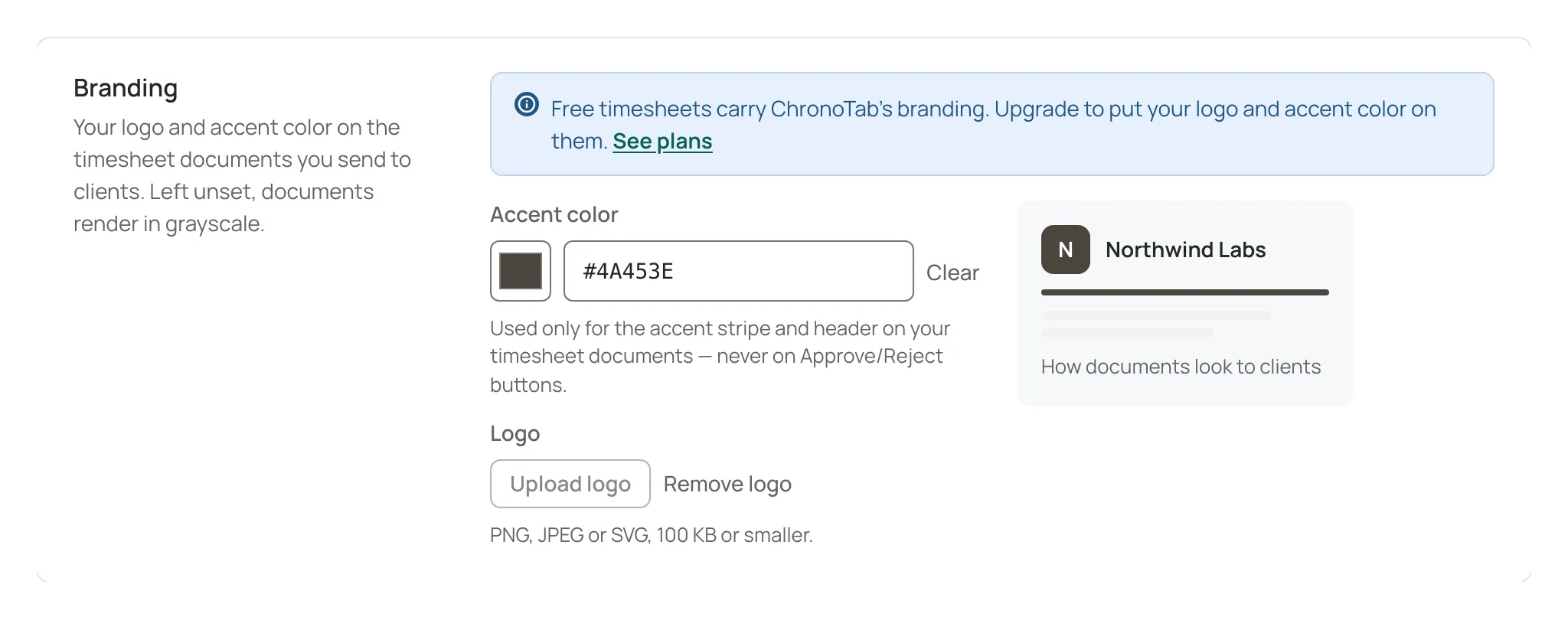
Nothing you stored is deleted. If you move to a paid plan, the branding you saved comes back on your next timesheet.
What a Free timesheet looks like
Section titled “What a Free timesheet looks like”A Free timesheet keeps the same layout, rounding and entries as any other timesheet. The only difference is the branding:
- Masthead. The ChronoTab mark stands where your logo would be, in grayscale. The masthead still shows your organisation’s name and the client’s name, but no ChronoTab word beside the mark. Your accent colour is not used.
- Footer. The footer shows the timesheet’s reference and who prepared it, the same as on a paid plan. It carries no ChronoTab credit.
- Credit line. Below the timesheet, one line reads Sent with and then the ChronoTab mark and ChronoTab, which links to the website, and then a full stop. On screen it continues This page shows one timesheet only.; that sentence is left out when the timesheet is printed or downloaded as a PDF, so the PDF ends with Sent with ChronoTab.
- Links open in a new tab. Every ChronoTab link on a Free timesheet opens the website in a new tab. A screen reader announces that the link opens in a new tab, and every link has a visible focus ring when a keyboard user reaches it.
The same applies wherever the timesheet appears: the share page your client opens, the printable version and the PDF.
On a paid plan the same timesheet shows your logo (or the first letter of your organisation’s name if you have not uploaded one) and your accent colour in place of the ChronoTab mark, and it carries no ChronoTab credit. On screen the line below the timesheet reads only This page shows one timesheet only., and nothing is printed there on paper or in the PDF.
What your client sees
Section titled “What your client sees”Your client does not need a ChronoTab account. They open the share link, read the timesheet and approve or reject it, exactly as they would on a paid plan. Only the branding in the masthead and the credit line changes. They can also download the timesheet as a PDF, which carries the same branding. See Share a timesheet with your client and Approve a timesheet.
Who can change branding
Section titled “Who can change branding”Only org admins can open Settings and change the branding. On Free, the locked controls cannot be changed by anyone, including admins. See Organisation settings for the branding controls on a paid plan.
Need help? Email support@chronotab.com.